
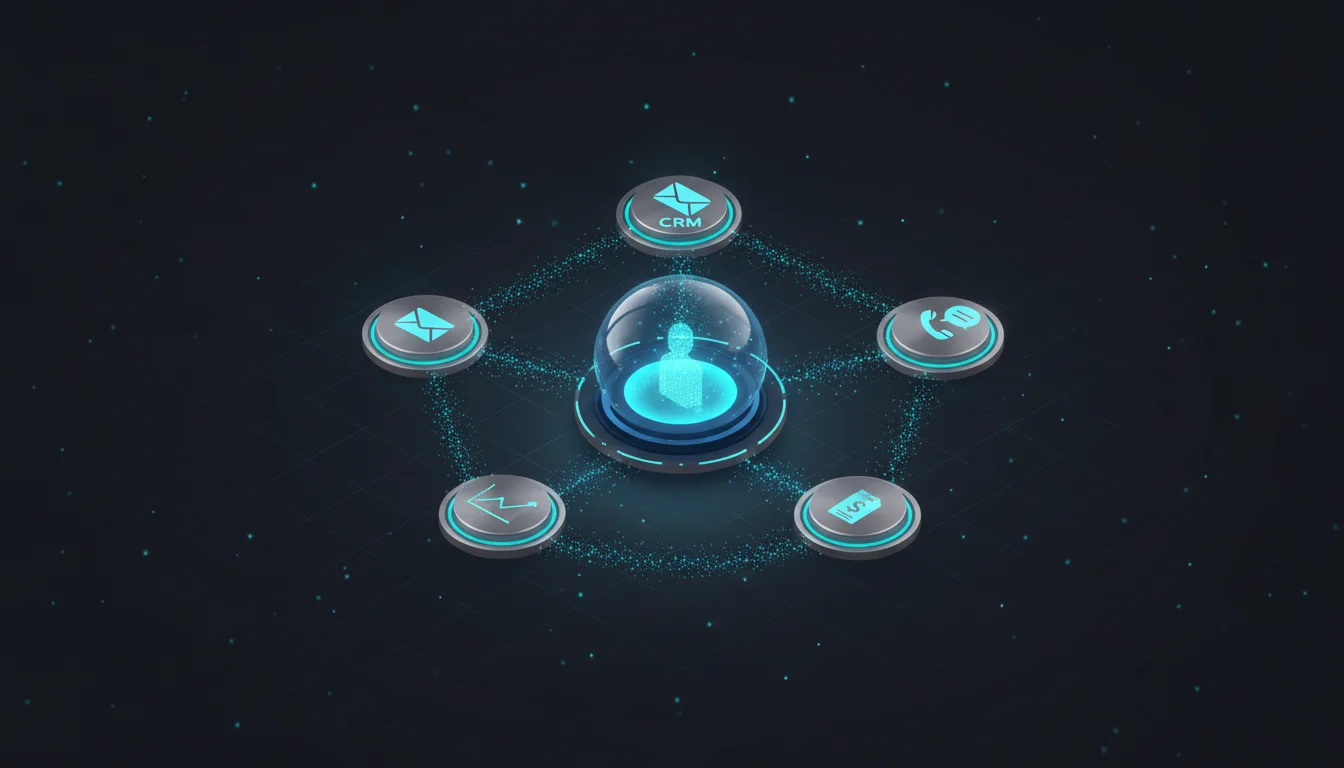
AI CRM integration is the architecture that connects the CRM to the full customer-facing stack (marketing automation, sales engagement, support, product usage, billing) with AI operating across a unified customer data layer to make real-time decisions. In 2026, 81% of organizations use AI in CRM, and integrated teams save 10 to 15 hours per rep weekly while hitting 94%+ data accuracy.
Most companies do not have a CRM problem. They have an integration problem. The CRM holds some of the customer truth. The marketing automation platform holds some. The support platform holds some. The billing system holds some. The sales engagement tool holds some. Every tool sees a fragment. Nobody sees the customer.
The fix is AI CRM integration that turns the CRM from a system of record into a decisioning surface. Below, you will learn the four functional layers of a connected AI sales stack, what real-time event-driven integration looks like in 2026 (and why batch syncs have become the legacy failure mode), the six tool categories that should feed a unified customer data layer, the three architectural patterns that dominate in 2026, the AI capabilities that only exist in a connected stack, the governance practices that prevent silent data decay, and the metrics that prove integration ROI.
The Four Layers of a Connected AI Sales Stack
Every modern AI CRM integration spans four functional layers that work together. Treating any one of them in isolation produces partial results, because each layer depends on the others to deliver value. The four layers map to a clear separation of concerns: humans interact with one layer, data lives in another, intelligence operates in a third, and the plumbing that synchronizes everything sits in the fourth. The four layers are:
- Layer 1: Engagement tools. CRM, marketing automation (MAP), sales engagement, customer support, and service desk. The tools humans interact with daily and where work actually gets done.
- Layer 2: Customer data layer. The unified profile and event store that consolidates all touchpoints (CRM records, email opens, site visits, support tickets, product usage, intent signals). This is where most integration projects live or die.
- Layer 3: AI assistants and agents. The intelligence layer that reads the customer data layer, makes decisions, and acts inside the engagement tools. Lead scoring, send-time optimization, next-best-action, account prioritization, conversational AI.
- Layer 4: Integration and automation. The plumbing that keeps layers 1, 2, and 3 synchronized in real time through APIs, webhooks, event streams, and workflow automation platforms.
The shift in 2026 is that Layer 4 is no longer static plumbing. It is a decisioning surface that AI participates in, inspecting events, selecting routing logic, and adjusting workflows based on real-time context rather than predefined rules. That promotion from plumbing to active decisioning is what separates the 2026 generation of integration from the 2022 generation, and it is what makes the data layer above genuinely usable rather than nominally connected.
Table 1: The Four Layers and What Lives in Each
| Layer | Function | Examples |
| 1. Engagement | Where humans work | CRM, MAP, sales engagement, support |
| 2. Customer Data | Unified profile and event store | CDP, data warehouse, identity resolution |
| 3. AI Agents | Intelligence and decisioning | Lead scoring, next-best-action, churn prediction |
| 4. Integration | Real-time sync across layers | APIs, webhooks, event streams, iPaaS |
What Real-Time Integration Actually Looks Like
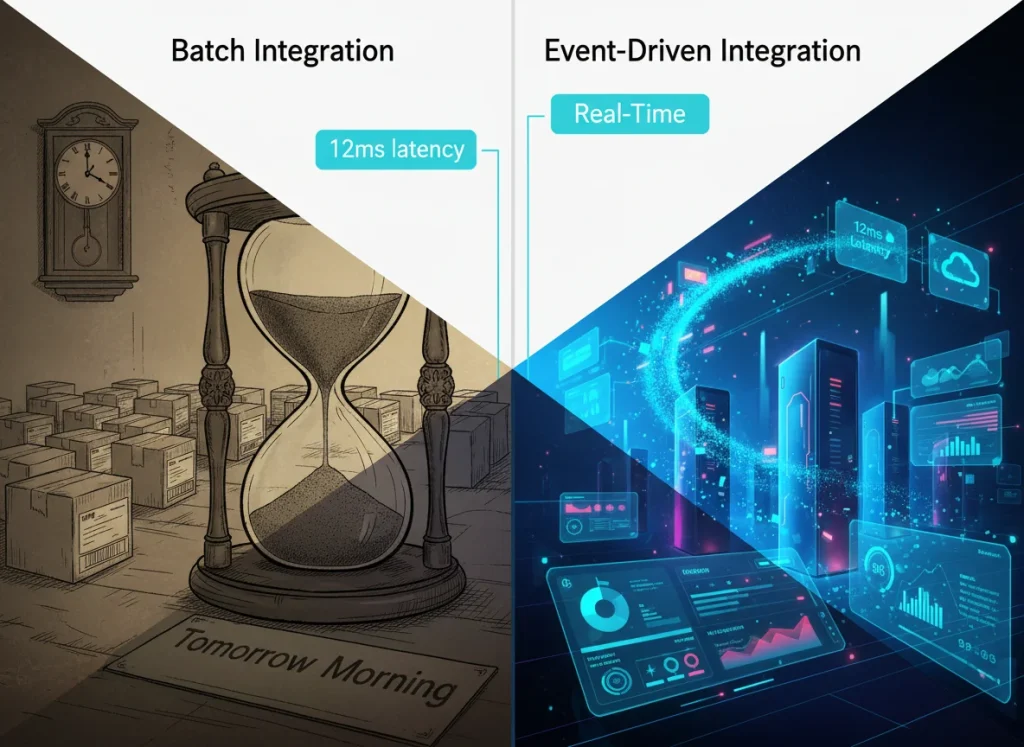
Batch syncs (the nightly or hourly updates that powered integration for a decade) are now the baseline failure mode. Event-driven architecture has replaced batch for anything touching customer intelligence, and the cost of event-driven infrastructure has fallen to a fraction of its 2022 level. The speed advantage event-driven sync unlocks is now competitive table stakes rather than a sophisticated optimization.
The contrast between the two patterns is concrete. In an event-driven workflow, a prospect submits a form on the website. Within milliseconds, a webhook fires, enriches the record, writes it to the CRM, kicks off the marketing nurture, alerts the assigned rep in their sales engagement tool, and updates the AI lead score. The prospect sees the most relevant next touchpoint before they close the browser tab. In a batch workflow, the same form submission sits in a queue until the 2 AM sync. The prospect goes cold in the intervening hours. The rep receives the lead the next morning. The AI lead score updates a day later. The prospect has already moved on by then, and the speed advantage of the AI lead score is wasted on a record that is no longer warm.
Real-time bidirectional sync across every connected platform is the baseline expectation in 2026. Teams building or rebuilding their AI stack should treat event-driven as the default and batch as the exception, used only where the source system genuinely cannot emit events in real time. Even in those cases, the sync interval has compressed from nightly to hourly to every few minutes, so the gap between "real-time" and "near real-time" matters less than the gap between either of those and the 24-hour delay of legacy batch.
Table 2: Event-Driven vs Batch Sync
| Dimension | Event-Driven (2026) | Batch (Legacy) |
| Latency | Milliseconds | Hours to a day |
| Trigger | Every relevant event | Scheduled interval |
| Prospect experience | Most relevant next touchpoint | Cold by the time of follow-up |
| Cost profile | Fraction of 2022 levels | Comparable to historical baseline |
| Use case fit | Default for customer intelligence | Exception, only where sources cannot emit events |
The Integration Map: What Connects to What
At the center of every mature AI CRM integration sits a unified customer data layer. Six categories of tools connect to it, and the value of the layer increases non-linearly as more categories feed in. With four out of six connected, the AI agents above can answer most operational questions. With all six connected, they can answer strategic questions that previously required a week of analyst work.
The six tool categories and what each contributes:
- Web and form layer. Website behavior, form submissions, chat interactions. Flows into the data layer with identity resolution attaching anonymous and known activity to a single profile.
- Marketing automation. Email engagement, campaign participation, lifecycle stage. Bidirectional with the data layer (reads context out, writes engagement back in).
- Sales engagement. Outreach activity, email opens, call logs, meetings booked. Writes activity events to the data layer, reads prospect context back to inform the next touch.
- Support and service. Tickets, CSAT scores, interaction transcripts. Writes events, reads customer profile, and is often the first signal of churn risk.
- Product usage (for SaaS). Feature adoption, usage depth, account health signals. Writes events, reads customer profile for in-product personalization.
- Billing and finance. Contract terms, renewal dates, payment status. Writes events that feed expansion and retention models.
With all six feeding one customer data layer, AI agents can answer questions that used to require analyst hours: which customers are at churn risk this month, which accounts are signaling expansion readiness, and which prospects look like the last ten closed-won deals. The compound visibility is what makes the integration project worth its cost. Without all six feeding the layer, the AI is operating on a partial picture, and partial pictures produce partially right recommendations that look authoritative but mislead the team acting on them.
Table 3: The Six Tool Categories and What They Contribute
| Category | Writes | Reads | Primary Value |
| Web/form | Behavior, submissions, chat | Identity resolution | First-touch capture |
| Marketing automation | Engagement, lifecycle | Profile context | Nurture timing |
| Sales engagement | Activity, opens, calls | Prospect context | Outreach intelligence |
| Support/service | Tickets, CSAT | Customer profile | Churn early warning |
| Product usage | Feature adoption, health | Customer profile | Expansion signals |
| Billing/finance | Contract, renewal, payment | Customer profile | Retention model fuel |
AI Capabilities That Only Exist in a Connected Stack
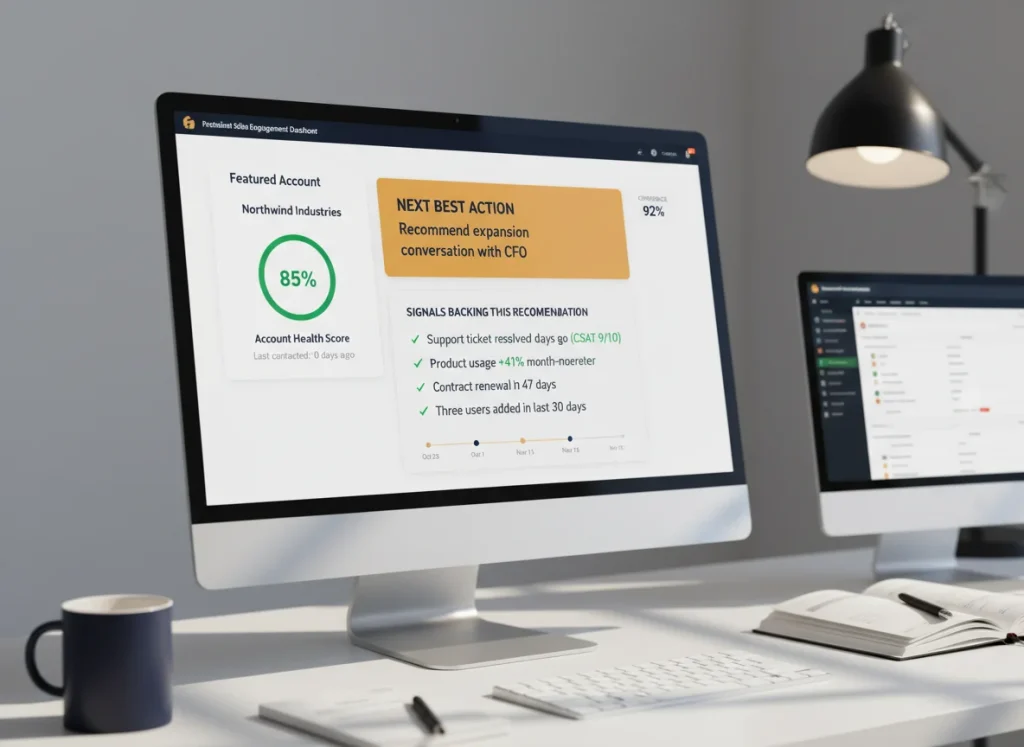
Four AI capabilities are impossible without integration maturity and become straightforward once integration is mature. These are not incremental improvements over single-system AI features. They are categorically different capabilities that depend on cross-system context. The four:
- Predictive lead scoring. Trained on closed-won patterns across the full customer profile (firmographic, engagement, product, and support signals). Impossible with siloed data, straightforward once the integration is mature.
- Next-best-action recommendations. AI tells the rep exactly which play to run next with a specific account, citing the signals behind the recommendation. Requires cross-system context that no single tool holds on its own.
- Churn prediction and retention plays. Support ticket patterns plus product usage decline plus engagement drop equals a compound signal no single tool catches. AI connects the dots and launches retention workflows automatically.
- Account-based orchestration. Coordinated plays across marketing, sales, and customer success, triggered by AI reading the account state and executed across every tool in the stack.
These four capabilities are why the integration work is worth the investment. The CRM by itself can do basic scoring. The marketing platform by itself can run nurtures. The support platform by itself can flag tickets. None of them, in isolation, can do what the connected stack does, which is read across all of them and act with the full picture.
Integration Architecture Choices
Three architectural patterns dominate the AI services landscape in 2026, and the right choice depends on team skill, stack maturity, and whether the CRM is the center of gravity or just one tool among many. There is no universally correct answer, but each pattern fits a recognizable shape of organization.
The first pattern is Native CRM plus AI extensions. Salesforce Einstein, HubSpot AI, and Microsoft Dynamics Copilot all ship deep AI capabilities inside the CRM with moderate flexibility for external systems. This pattern fits teams that are CRM-centric and do not want to maintain integration infrastructure. The trade-off is that external systems sit a layer further from the AI, which is fine when those systems are secondary but limiting when they hold core customer signal.
The second pattern is integration platform (iPaaS) as the hub. Zapier, Make, Workato, Tray.io, or custom orchestration sit between tools and own the event flow. The CRM becomes one system among many rather than the center of gravity. This pattern fits teams with complex stacks and in-house technical capability, because iPaaS adds power but also adds the maintenance burden of integration logic that lives outside any individual tool.
The third pattern is customer data platform (CDP) plus workflow automation. Segment, mParticle, or RudderStack front a workflow layer where the CDP owns customer identity and event routing while workflow tools execute decisions. This pattern fits teams with sophisticated segmentation needs and mature data teams, because the CDP investment is substantial and pays back only when the team can actually exploit the segmentation depth it enables.
Governance and Measuring Integration Success
Integration without governance is how data accuracy collapses in month six. Four governance practices need to be built in from day one, not retrofitted after the first major data incident:
- Identity resolution rules. Clearly defined rules for how the same person or account is identified across systems. Without this, every new integration goes live with a fresh wave of duplicates that contaminate downstream models.
- Data ownership. Every field has a system of record. When systems disagree, the SOR wins. Without this, integration becomes a slow-motion race condition where the most recent write wins regardless of correctness.
- Integration monitoring. Every sync, every webhook, every event flow is monitored with alerts on failure. Without this, silent integration failures rot the data layer for weeks before anyone notices.
- Change management. When a tool is added, removed, or upgraded, the integration impact is assessed before the change ships. Without this, every tool change cascades into broken automations.
Per Salesforce State of Sales research, the metrics that prove integration ROI are consistent across industries: rep administrative time (target 10 to 15 hours per week reduction), data accuracy rate (target 94%+ across the unified profile), lead-to-opportunity conversion uplift, forecast accuracy, and time-to-first-touch on inbound leads measured in minutes rather than hours. Teams hitting these numbers consistently are the ones building on solid integration foundations supported by intelligent automation layers underneath. Teams that do not are working around integration gaps they have not diagnosed. Pull your current numbers on these five metrics before any integration work begins. The delta is the business case.
Key Takeaways
- AI CRM integration spans four layers: engagement tools, customer data layer, AI agents, and integration/automation plumbing. Treating any one of them in isolation produces partial results.
- Real-time (event-driven) sync is the 2026 baseline. Batch syncs are the legacy failure mode and should be reserved for sources that genuinely cannot emit events.
- Six tool categories feed a unified customer data layer: web and forms, marketing automation, sales engagement, support, product usage, and billing. With all six connected, AI can answer strategic questions previously requiring analyst work.
- 81% of organizations use AI in CRM by 2026, and integrated teams save 10 to 15 hours per rep per week while hitting 94%+ data accuracy across the unified profile.
- Three architectural patterns dominate: native CRM plus AI extensions, iPaaS as the hub, or CDP plus workflow automation. The right choice depends on team skill and stack maturity, not feature parity.
- AI capabilities that only exist in a connected stack include predictive lead scoring, next-best-action recommendations, churn prediction with automatic retention plays, and account-based orchestration. None of these are possible with siloed data.
Where to Start
Start with the single integration gap that is costing you the most today. For most mid-market teams, it is the marketing-to-sales handoff, where leads arrive hours or days late or arrive without enrichment. For enterprise teams, it is the service-to-sales feedback loop, where support signals never reach the account team in time to act on them. Diagnosing which gap is yours takes a one-day audit of the existing stack and a clear measurement of the cost of the gap in lost pipeline or wasted rep cycles.
Fix one gap end-to-end with the full pattern, including event-driven sync, identity resolution, AI decisioning, monitoring, and governance. Measure the before-and-after over 60 days against the five ROI metrics. The results will tell you where to go next, and you will have a replicable pattern for every subsequent integration. Skipping any element of the pattern (especially monitoring and governance) is what produces the integration projects that look successful at launch and degrade silently over the following two quarters until someone notices the data has drifted past the point where AI can recover it.
To map your integration gaps, pick the right architectural pattern for your scale, and plan a 60-day first-gap deployment with full governance, speak with our team for a Stack Integration Review.
Conclusion
The CRM by itself is not the problem. The integration gaps between the CRM and every other customer-facing tool are the problem. Fix one gap end-to-end with event-driven sync, identity resolution, AI decisioning, monitoring, and governance, then replicate the pattern. Teams that do this save 10 to 15 hours per rep per week, hit 94%+ data accuracy, and unlock AI capabilities (predictive scoring, next-best-action, churn prediction, account orchestration) that are impossible with siloed data.
Frequently Asked Questions
What is AI CRM integration?
AI CRM integration is the architecture that connects the CRM to the full customer-facing stack (marketing automation, sales engagement, support, product usage, billing) with AI operating across the unified data layer to make real-time decisions. It turns the CRM from a system of record into a decisioning surface.
What systems should connect to my CRM?
Six categories: web and form layer, marketing automation, sales engagement, support and service, product usage (for SaaS), and billing. With all six feeding a unified customer data layer, AI can answer questions no single tool can: churn risk, expansion readiness, and prospect-to-customer patterns.
What is the difference between batch and real-time CRM integration?
Batch syncs update data on a scheduled interval (hourly, nightly). Real-time event-driven syncs fire on every relevant event (form submits, email opens, ticket creation) with webhook and streaming architecture keeping every system current within milliseconds. Real-time is the 2026 baseline for AI CRM integration.
How long does an AI CRM integration take?
A focused, single-gap integration (such as the marketing-to-sales handoff) takes 4 to 8 weeks from design to monitored production. A full four-layer integration across the entire stack is typically phased over 6 to 12 months, with each phase measured for impact before the next begins.
What does successful AI CRM integration look like in the numbers?
10 to 15 hours per week saved per sales rep on administrative work, 94%+ data accuracy across the unified customer profile, faster lead-to-opportunity conversion, tighter forecast accuracy, and inbound response time measured in minutes rather than hours.
Should I use Salesforce, HubSpot, or Microsoft Dynamics for AI CRM?
All three ship mature native AI capabilities in 2026. Salesforce is strongest for complex enterprise. HubSpot is strongest for mid-market teams that want fast adoption. Microsoft Dynamics is strongest for teams in the Microsoft ecosystem. Choose based on stack and team skill.
What is a customer data platform (CDP) and do I need one?
A CDP (Segment, mParticle, RudderStack) is a dedicated layer that owns customer identity and event routing across the stack. You need one when your stack is complex enough that identity resolution across 5+ tools becomes a full-time problem, typically at mid-market scale and up with sophisticated segmentation requirements.
How do I handle duplicate records when integrating multiple systems?
With an identity resolution layer in the CDP or customer data layer. Identity resolution applies matching rules (exact, fuzzy, probabilistic) across email, phone, domain, and other fields to recognize the same person or account across systems. Without it, every new integration creates duplicates.
What is iPaaS and when should I use it?
Integration platform as a service (iPaaS) products like Zapier, Make, Workato, and Tray.io sit between your tools and own the event flow. Use iPaaS when your stack is complex and your team has in-house integration skill. Avoid iPaaS when the team lacks capacity to maintain it.
How do I prove AI CRM integration ROI to leadership?
Baseline the five metrics before starting (rep admin time, data accuracy, lead-to-opportunity conversion, forecast accuracy, time-to-first-touch). Run the integration work, measure the delta at 60 and 120 days, and present the economic impact in rep-hours reclaimed and pipeline lift. The 10 to 15 hour weekly reduction is usually the headline.