Examples of AI automations include AI chatbots that answer customer questions, AI tools that draft and schedule marketing content, AI invoice and document processing, and AI-assisted HR onboarding. Houston businesses usually connect these pieces with workflow platforms such as Zapier, Make, Microsoft Power Automate or n8n, so software handles repetitive tasks that once needed a person.
Houston keeps growing, and that growth lands on the small teams who still answer every inquiry, key in every invoice and onboard every new hire by hand. The Greater Houston Partnership projects the region will add about 31,000 jobs in 2026, and it logged 683 new business announcements in 2025, a 26.5% increase over the year before. More customers usually mean more repetitive work for the same few people, which is exactly the work AI automation is designed to absorb.
Plenty of owners hear about AI every week yet still can't picture what a working AI automation looks like, and you can't choose what to automate until you see chatbots, document tools and workflow platforms doing real jobs. As an AI-driven digital marketing agency serving Houston, we put this guide together to answer the question with plain, recognizable examples rather than theory.
In this guide, you'll learn what counts as an AI automation, the most common examples in customer service, marketing, finance and HR, the platforms Houston businesses use to build them, what the current small business adoption figures look like, and where it usually makes sense to start.
What Counts as an AI Automation for a Houston Business
An AI automation is software that uses artificial intelligence, such as natural language processing, pattern recognition or machine learning, to carry out a task that used to need a person's judgment. Standard workflow automation follows fixed rules, like adding a spreadsheet row every time a web form is submitted, while an AI automation can read an incoming email, work out what the customer wants and choose which rule to apply.
Combining the two is sometimes called hyperautomation, a term that grew out of business process automation, where AI and machine learning are layered onto automated workflows so they can handle natural language, unstructured data and processes that change over time. In practical terms, the automation can cope with a messy PDF invoice, a free-text customer message or a job application, not only tidy rows of data. If a step only moves data between apps, plain automation usually covers it, but if it involves reading, writing or deciding, that's where the AI part earns its place.
| Example category | What it automates | Example platform or approach |
|---|---|---|
| AI chatbot for customer service | Answers common questions, collects contact details and routes requests at any hour | Chatbot connected to your CRM through Zapier or Make |
| AI marketing content and scheduling | Drafts social posts, emails and follow-ups, then queues them on a set schedule | AI writing step inside a Make or Zapier workflow |
| AI invoice and document processing | Reads invoices, receipts and forms, then pulls the key fields into your records | AI document-reading step feeding accounting software through Power Automate |
| AI-assisted HR onboarding | Screens applications, sends paperwork and answers routine new-hire questions | Onboarding workflow built in n8n or Power Automate |
| Predictive maintenance and quality control | Flags equipment or product issues from sensor or inspection data | Custom AI workflow, often self-hosted in n8n |
AI Automation Examples in Customer Service and Marketing
Customer service and marketing are usually the first places a small business notices AI automation, because both involve a high volume of repetitive messages that follow recognizable patterns and connect easily to tools you already use.
AI Chatbots That Answer and Route Customer Questions
An AI chatbot reads what a visitor types on your website or social page, answers the common questions from information you've approved, and collects the name, phone number and request when a person needs to step in. The AI part is language understanding, which lets the chatbot recognize that "are you open Saturday" and "weekend hours?" ask the same thing.
Once the conversation ends, a workflow platform can pass the lead into your CRM, tag it by service and alert the right team member, so the chatbot interprets the message and the workflow moves the result where it needs to go.
AI-Assisted Marketing Content and Scheduling
AI-assisted marketing automation drafts social captions, email newsletters and follow-up messages from a short brief, then schedules them to publish at set times across your channels. A typical workflow might watch for a new blog post, ask an AI model to write three social captions from it, and hold those drafts for your approval, because AI drafts still need a human eye for accuracy, tone and local detail.
AI Automation Examples in Finance, HR and Back-Office Work
Back-office work is a natural fit for AI automation, because invoices, forms and applications arrive in inconsistent formats that plain rule-based tools can't read reliably.
Invoice and Document Processing
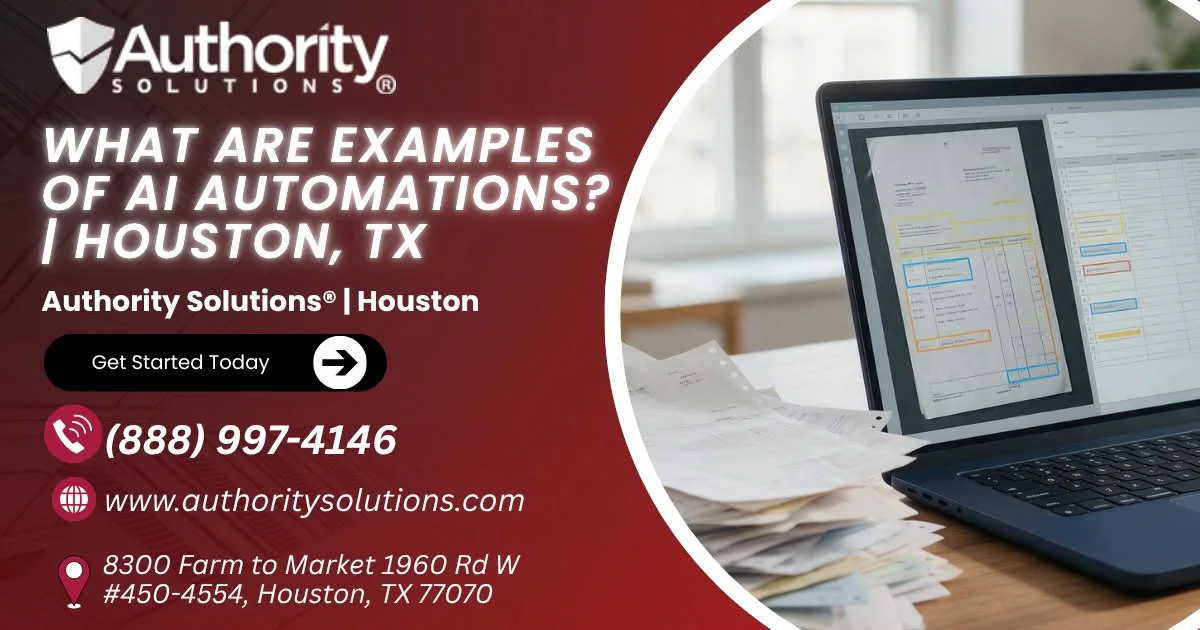
AI document processing reads an incoming invoice, receipt or form, identifies the vendor, date, amount and line items, and enters those fields into your accounting system or a shared spreadsheet. The workflow can then route anything unusual, such as a total that doesn't match the purchase order, to a person for review instead of letting it post automatically.
HR Onboarding and Recruitment
AI-assisted HR automation can screen incoming applications against the requirements you set, send offer paperwork and onboarding checklists, and answer routine new-hire questions about schedules or benefits documents. A person still makes the hiring decisions, while the automation handles the paperwork and reminders that pile up in a busy month.
Predictive Maintenance and Quality Control
Predictive maintenance and quality control automations analyze sensor readings or inspection images to flag equipment that's likely to need service or products that don't meet a standard. These examples usually need a more custom build than the office examples above, so technical teams often choose a platform that allows self-hosting.
Platforms Houston Businesses Use to Build These Automations
Most AI automations are built on a workflow platform that connects your apps and passes data between them, with an AI step placed wherever the workflow needs to read, write or decide, and these four platforms each suit a different kind of team.
| Platform | How it works | Best suited for | Billing model reported by third parties |
|---|---|---|---|
| Zapier | Linear trigger-and-action workflows with 9,000+ app integrations | Non-technical teams that want a quick setup | Per task |
| Make | Visual canvas with branching and merging logic, 3,000+ apps plus 350+ AI apps | Teams building multi-step visual workflows | Per credit |
| Microsoft Power Automate | Workflow automation built into the Microsoft 365 ecosystem | Microsoft 365-heavy or regulated businesses | Check Microsoft's current plans |
| n8n | Node-based builder with a self-hosting option and deep AI workflow capability | Technical teams needing custom or self-hosted AI workflows | Per workflow execution |
Zapier
Zapier builds automations as a straight line, where one trigger, such as a new form entry, sets off a series of actions across your other apps. Its large integration library suits owners who want a chatbot lead or invoice email routed without writing code.
Make
Make lays workflows out on a visual canvas, so you can see a process branch into different paths, such as one route for a quote request and another for a support question, then merge back together.
Microsoft Power Automate
Microsoft Power Automate sits inside the Microsoft 365 ecosystem, which makes it a natural fit if your team already lives in Outlook, Teams, Excel and SharePoint. Businesses with stricter compliance needs tend to lean toward it because the workflows stay inside a platform their IT team already manages.
n8n
n8n uses a node-based builder and offers a self-hosting option, so a technical team can run the platform on its own servers and build deeper custom AI workflows with data kept in-house.
Pricing for all four platforms changes often, so check each vendor's own pricing page for current plans before you commit to one.
Where It Usually Makes Sense to Start Automating in Houston
A good first automation for most small businesses is a single repetitive task that happens every day, follows a predictable pattern and currently eats time your team could spend on customers. National figures show many small businesses are still at the beginning, so an early, well-chosen automation can help set yours apart.
| Adoption snapshot | Figure | What it means for a Houston business |
|---|---|---|
| Small businesses that had adopted AI services by the end of 2025 (JPMorganChase Institute) | 17.7% | Most small businesses haven't started, so an early automation can still set you apart |
| Small businesses paying for generative AI services specifically, by 2025 | 12% | Paid AI tools remain the exception, so a small, low-risk first project is a sensible way to test the idea |
| AI adoption at employer firms vs. nonemployer firms | 26.1% vs. 15.3% | Businesses with staff adopt AI more often, likely because there's more repetitive work to hand off |
| AI adoption in the information sector, the highest-adopting industry | 39.3% | Information-heavy work adopts first, which points to documents and messages as the natural starting point |
| Houston real GDP growth, 2022 to 2024 (Greater Houston Partnership) | 10.6% | A fast-growing local economy tends to add workload before it adds headcount |
A simple way to choose your first automation is to work through these steps in order:
- List the tasks your team repeats every day, such as answering the same questions, entering invoice details or sending onboarding forms.
- Mark which of those tasks involve reading, writing or deciding, because those are the ones where an AI step adds value beyond plain automation.
- Pick the one task that costs the most time each week and has the lowest risk if the automation makes a mistake.
- Build it on the platform that matches your team, such as Zapier for a quick no-code setup or Power Automate if you already run Microsoft 365.
- Keep a person reviewing the output for the first few weeks, then widen the automation once it's proven reliable.
If you'd rather have a specialist design and connect that first workflow for you, our AI automation services for Houston businesses cover the planning, building and testing so the automation fits the tools your team already uses.
How Authority Solutions® Helps Houston Businesses Put AI Automation to Work
Authority Solutions® is a digital marketing agency that also builds and supports AI systems for businesses, and our AI services cover the same example categories this guide describes. You can reach our Houston-based marketing and AI team for any of the services below.
AI Automations covers the workflows described above, connecting your existing apps through platforms like Zapier, Make, Power Automate or n8n and adding AI steps where a task needs reading, writing or deciding.
AI CRM focuses on keeping leads, follow-ups and customer records organized automatically, so inquiries from your website, chatbot and phone line end up in one place with the right next step attached.
AI Voice and Chatbot covers the customer-facing side, setting up chat and voice assistants that answer common questions and pass qualified inquiries to your team.
Key Takeaways
- AI automation is software that uses artificial intelligence to handle tasks that once needed a person's judgment, such as reading messages or documents. It usually sits on top of standard workflow automation, and the combination is sometimes called hyperautomation.
- The most common examples fall into a few clear groups: customer service chatbots, marketing content and scheduling, invoice and document processing, and HR onboarding. Predictive maintenance and quality control round out the list for businesses with physical equipment.
- Workflow platforms such as Zapier, Make, Microsoft Power Automate and n8n connect these pieces together. Each suits a different team, from non-technical owners who want a quick setup to developers who need self-hosted custom workflows.
- Adoption is still early, with 17.7% of small businesses using AI services by the end of 2025 according to the JPMorganChase Institute. That leaves room for a Houston business to gain an edge with a single well-chosen automation.
- A sensible starting point is one repetitive, daily task that involves reading, writing or deciding and carries low risk if something goes wrong. Keeping a person in the review loop at the start builds confidence before you expand.
Frequently Asked Questions
What Is an Example of AI in Automation?
A common example is an AI chatbot that reads a customer's question, answers it from approved information and sends the lead to your CRM. The AI understands the wording, while the automation moves the result to the right place.
Is AI Automation the Same as Robotic Process Automation?
Not quite, although the two often work together. Robotic process automation typically repeats fixed, rule-based steps, while AI automation adds the ability to read language, interpret documents and make simple judgments.
Do I Need Coding Skills to Use an AI Automation Platform?
Usually not for simple workflows, since Zapier and Make are built for visual, no-code setup, while n8n's self-hosting and deeper custom workflows tend to suit teams with technical skills.
Can a Small Business in Houston Realistically Use AI Automation?
Yes, and most haven't started yet, since only 17.7% of small businesses had adopted AI services by the end of 2025. A single chatbot or invoice workflow is a realistic first project for a small team.
What's the Difference Between Zapier, Make and n8n?
Zapier runs simple trigger-and-action workflows with 9,000+ integrations, Make uses a visual canvas with branching logic, and n8n offers node-based building with a self-hosting option. Each fits a different level of technical comfort.
How Much Does AI Automation Cost to Set Up?
Cost depends on the platform and how complex the workflow is. Third-party comparisons describe Zapier billing per task, Make per credit and n8n per workflow execution, so check each vendor's current pricing page before budgeting.
Will AI Automation Replace My Employees?
AI automation usually takes over repetitive tasks rather than whole roles. In most small businesses it frees staff from data entry and routine replies so they can spend more time with customers and on work that needs judgment.
Which Industries Use AI Automation the Most?
According to the JPMorganChase Institute, the information sector had the highest small business AI adoption rate at 39.3%. Businesses with employees also adopted AI more often than solo operators, at 26.1% versus 15.3%.
Is AI Automation Secure for Sensitive Business Data?
Security depends on the platform and how the workflow is set up. Businesses with strict requirements often choose Power Automate inside Microsoft 365, or self-host n8n so data stays on their own servers.
Can AI Automation Work With the Software I Already Use?
In most cases, yes, because Zapier connects to thousands of apps, Make links 3,000+ apps plus 350+ AI apps, and Power Automate works directly with Microsoft 365 tools like Outlook, Teams and Excel.
Conclusion
Examples of AI automations are easier to picture as specific jobs: a chatbot that answers the same questions every day, a workflow that reads invoices, an onboarding sequence that sends paperwork on time, and a marketing flow that drafts and schedules posts. Zapier, Make, Microsoft Power Automate and n8n tie those jobs together, and the right choice depends on your team's skills and existing software.
With Houston adding jobs and new businesses at a steady pace, the owners who automate one well-chosen task now will have more room to handle that growth later. If you're ready to pick your first workflow, book a call to walk through these automation examples for your business and we'll help you choose where to start.
Call (888) 997-4146 to map your first AI automation.
Book a Houston AI automation planning session.